Workflow Versioning & Grouping
General
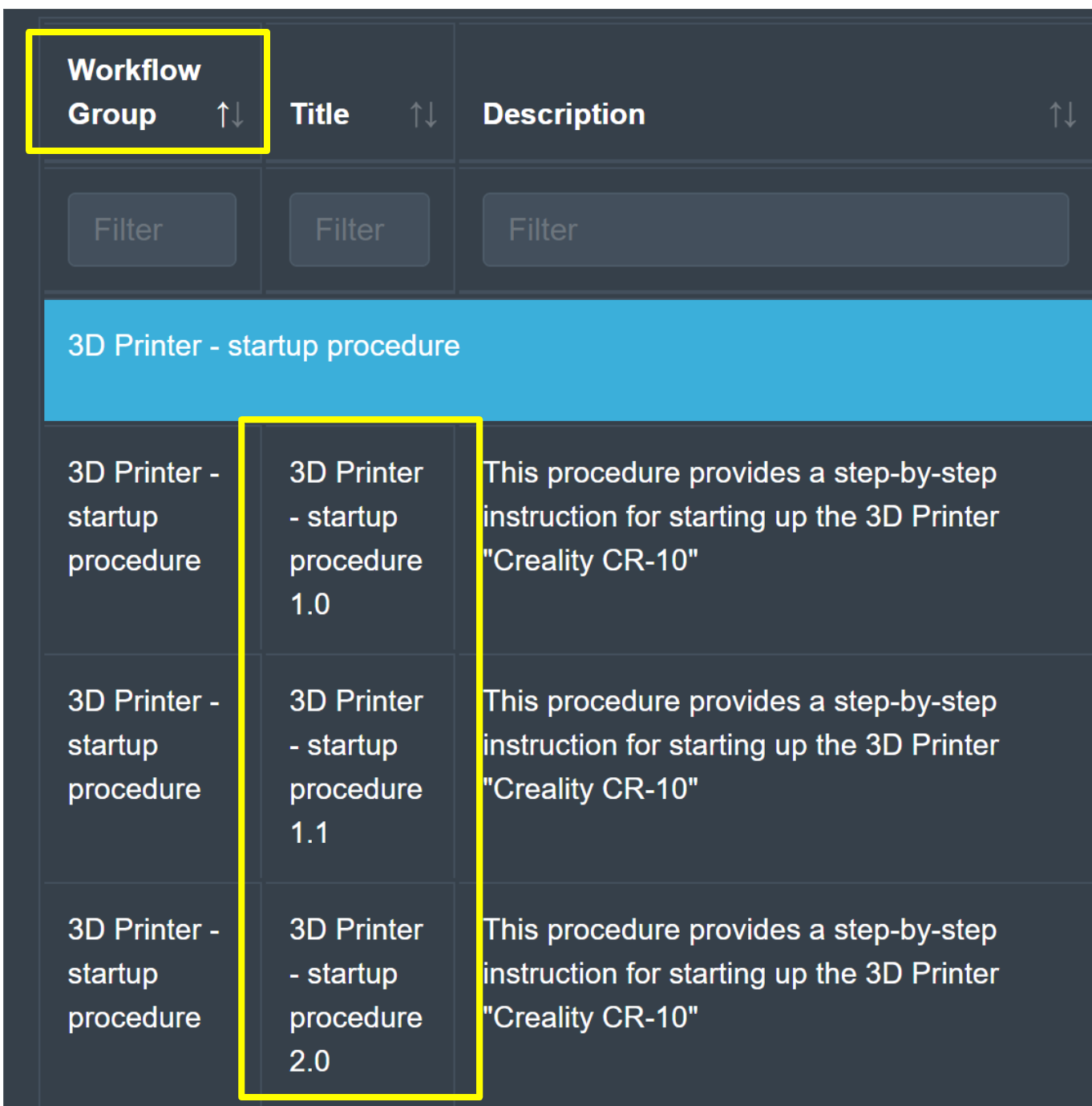
Each organization can maintain different versions of a workflow. Together, these different versions form a workflow group as shown in the image below.
By using different versions, organizations can control which version of a workflow is published for productive use and alongside it, test the adjustments for the next version in a sandbox environment. Each workflow is independent of the others in the group and among other settings, maintains its own:
Set of steps
Group and user visibility
Tags
Publishing state
Creating and Assigning Workflow Versions
By default, workflows do not belong to any group and cannot be assigned manually. Instead, the workflow group is automatically created when there are multiple versions of the workflow. Subsequent new versions that get created will automatically belong the to the workflow group.
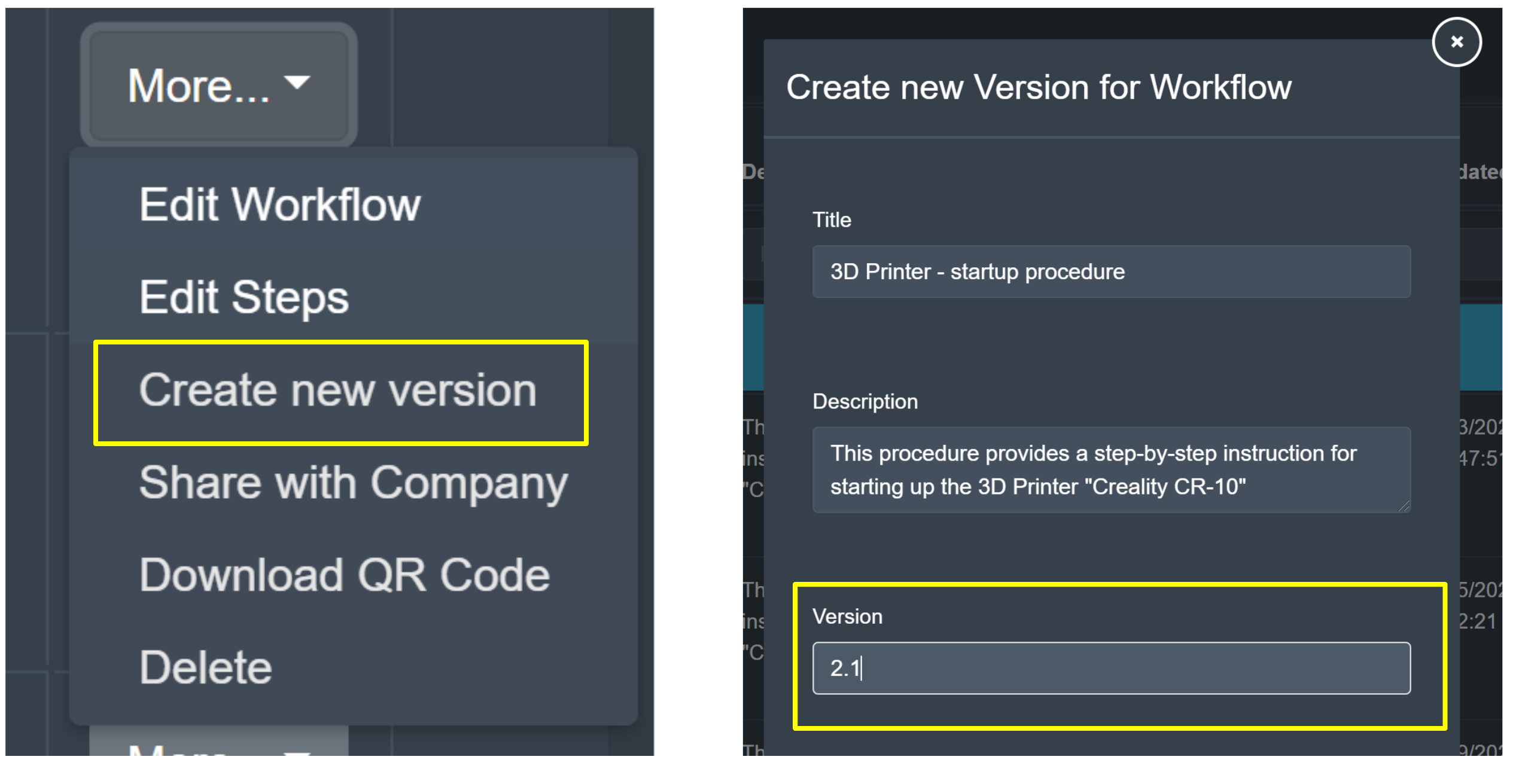
A new version of a workflow can be created using the additional options menu for the workflow. This opens up a panel for creating the new version where an updated version number, and more, can be assigned. Once created successfully, the steps, publishing state, and visibility can be modified as they would for any independent workflow.
Updating References
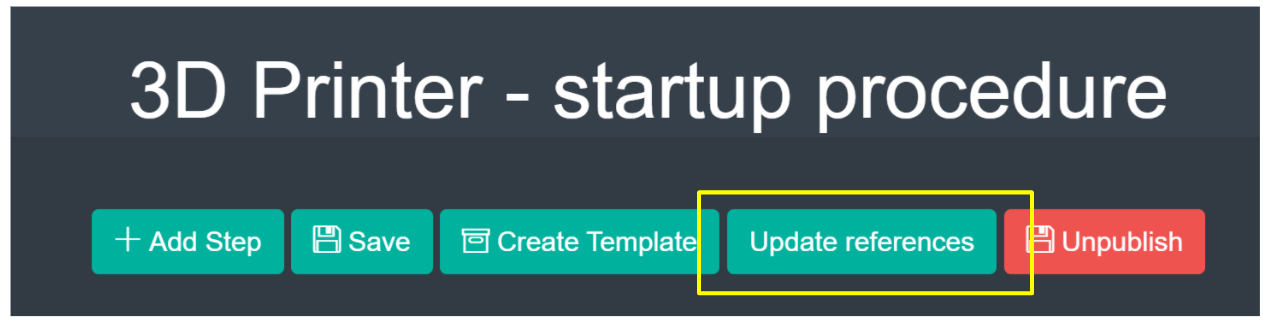
When creating a new version based on an existing version, it exists in isolation. Any chained workflows that may refer to the workflow will refer to the original version and not the new version. To make the upgrade and migration process easier, the sphere Management Portal provides an easy way to move those references to new versions once they are published and ready to be moved to production by using the “Update References” button in the workflows step editor.
The diagram below shows a visual example of how updating the references can affect other related workflows after a new workflow version is created.
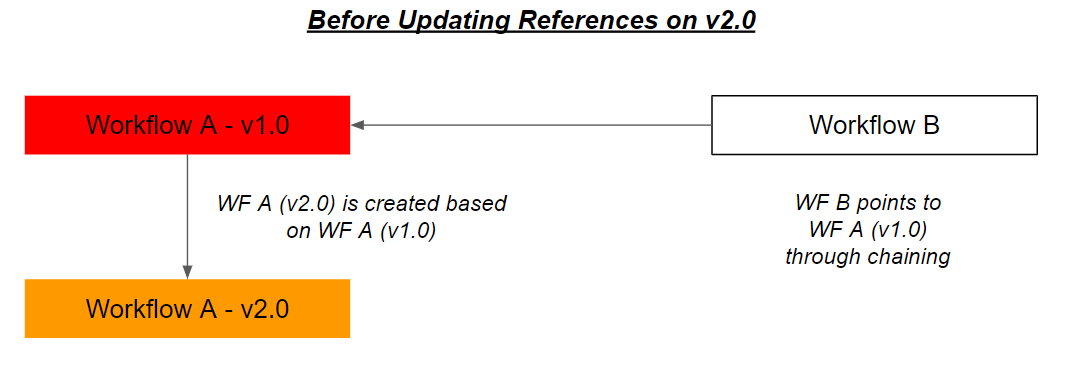
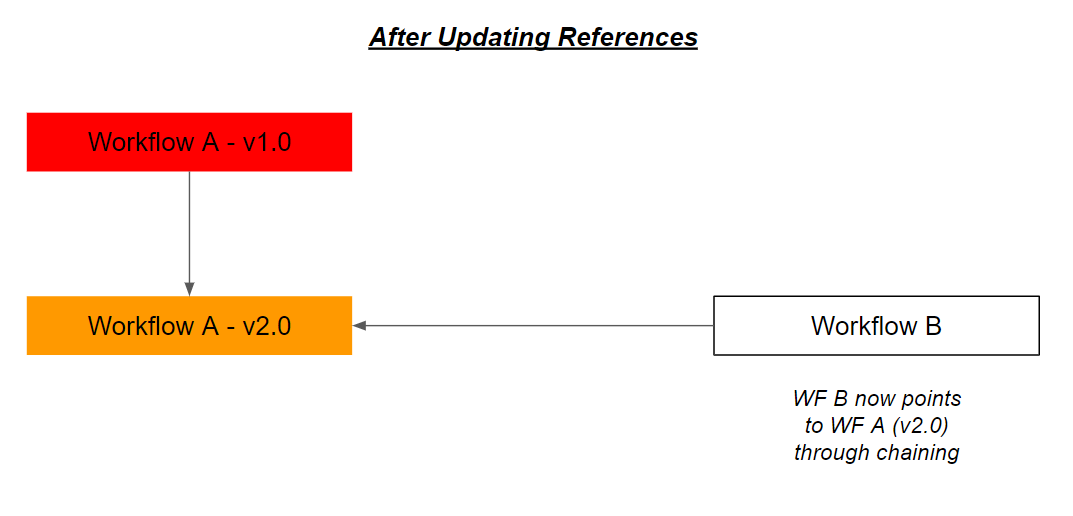
Updating references will only apply to the references on the initial workflow that the new version is created from. It will not modify references for other versions that might exist. Workflow chaining and references can be manually adjusted after updating references.

For more information on chained workflows, please refer to the following page:
[INSERT REFERENCE PAGE]